
How to Command a Room When Presenting: 8 Proven Methods

To command a room when presenting, master these eight techniques: own the space physically before you speak, open with a power move that disrupts expectations, use strategic silence instead of filler words, control vocal dynamics through pace and pitch variation, deploy purposeful eye contact patterns, structure your content with executive-level clarity, use spatial anchoring to reinforce key points, and close with a statement that lingers. Each method is trainable—and the difference between a forgettable presenter and a commanding one comes down to deliberate practice. These same principles apply whether you're presenting to peers, clients, or the C-suite—though senior leadership audiences demand even sharper execution.
What Does It Mean to Command a Room When Presenting?
Commanding a room when presenting is the ability to hold complete audience attention, project authority, and shape the emotional energy of a space through your words, voice, body, and presence. It's not about being the loudest person or the most extroverted. It's about creating a gravitational pull that makes people lean in, listen, and remember.
Commanding presenters don't just deliver information—they create an experience. A foundational study by Albert Mehrabian at UCLA found that when verbal and nonverbal messages conflict, audiences rely overwhelmingly on nonverbal cues—tone of voice and body language—to judge a speaker's credibility (Mehrabian, Silent Messages, 1971). How you present often matters more than what you present.
When presenting to senior leadership specifically, the stakes intensify. Executives aren't just evaluating your content—they're evaluating you. They're juggling dozens of priorities, making high-impact decisions daily, and constantly assessing the people around them for leadership potential. Your opening moments carry enormous weight, and every sentence must earn its place.
Method 1: Own the Space Before You Speak
The most commanding presenters begin their work before they say a single word. How you enter, position yourself, and occupy physical space sends immediate signals about your authority level.
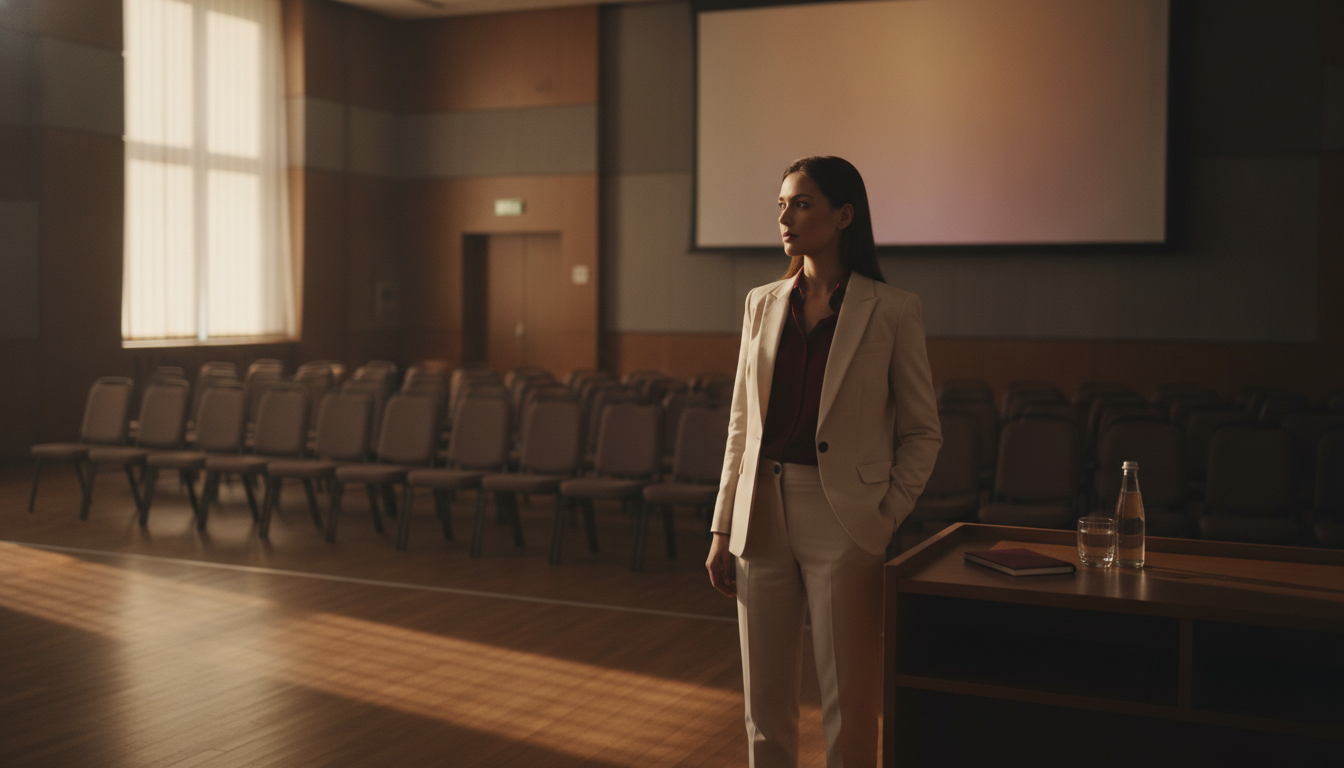
Arrive Early and Claim Your Territory
Get to the room 10–15 minutes early. Walk the space. Stand at the front. Touch the table, adjust the projector, move a chair. These micro-actions trigger what psychologists call "territorial behavior"—and they wire your brain to feel ownership over the environment.
When your audience arrives, they're entering your space. That psychological frame changes everything about the dynamic. Research by Carney, Cuddy, and Yap found that individuals who adopted expansive, space-claiming postures experienced hormonal shifts associated with increased confidence and reduced stress (Carney et al., Psychological Science, 2010).
When presenting to senior leaders, arriving early serves a dual purpose. Make eye contact and greet leaders as they enter—this shifts the dynamic from "presenter awaiting judgment" to "professional hosting a conversation."
Use the "Plant and Pause" Entrance
When it's time to begin, walk to your speaking position with purpose. Plant both feet shoulder-width apart. Place your hands at your sides or on the podium. Then pause for a full two to three seconds before speaking.
This technique does two things: it signals that you're not rushing or anxious, and it forces the room to settle its attention on you. Most nervous presenters start talking while still walking or adjusting their notes. Commanding presenters let the silence do the work. For more on building this kind of body language for leadership presence, practice the Plant and Pause in every meeting for a week.
Practice Drill: The Room Walk
Before your next presentation, spend five minutes alone in the room. Walk every corner. Stand at the front, the back, and both sides. Speak a few sentences from each position. This drill builds spatial familiarity, which reduces anxiety and increases your sense of control.
Method 2: Open With a Power Move
The first 30 seconds of a presentation determine whether your audience mentally commits or checks out. Generic openings—"Thanks for having me," "So today I'm going to talk about…"—signal that what follows will be generic too. With senior leaders, a weak opening is even more costly—research from Prezi's State of Attention report found that the majority of senior professionals say they've stopped paying attention to a presentation within the first few minutes because the speaker failed to get to the point (Prezi, 2018).
The Three Commanding Openers
The Bold Claim: Start with a provocative, data-backed statement. "Seventy percent of your team has already decided whether this initiative will succeed—before you finish this sentence." This creates immediate cognitive engagement. The Silence-First Open: Walk to the front. Say nothing. Let three to five seconds of silence pass while making eye contact with three different people. Then begin. This is disarming and instantly establishes dominance over the room's attention. The Story Drop: Begin mid-story, with no preamble. "The client called at 6 AM. The deal was dead. And what happened next changed how our entire division thinks about risk." Stories activate the brain's narrative processing centers, which are far more engaging than analytical listening.For a deeper breakdown of opening techniques, see our guide on how to open a speech memorably with 11 proven openers.
The Executive-Specific Opening
When presenting to senior leadership, your opening should include three elements in the first 60 seconds:
- A confident greeting and context statement — "Thank you for the time. I'm here to share our recommendation on the Q3 product roadmap and get your alignment on next steps."
- A clear preview — "I'll cover three things: the opportunity, our proposed approach, and the investment required."
- A time anchor — "This will take 15 minutes, with time for questions."
This approach immediately signals that you're organized, respectful of their time, and in control. It's one of the most effective ways to command any room from the very first moment.
What to Avoid in Your First 30 Seconds
Never apologize for being nervous. Never start with logistics ("Can everyone hear me?"). Never read your first slide. And never say "I know you're all very busy" or "Sorry, I'll try to keep this short"—these are credibility killers that position you as an interruption rather than a valuable contributor. Each of these signals uncertainty about your right to hold the room's attention, and your audience will mirror that uncertainty.
Method 3: Master the Strategic Use of Silence
Silence is the most underused power tool in professional presenting. Research on conversational dynamics shows that listeners perceive speakers who use purposeful pauses as more thoughtful, more confident, and more credible than those who fill every gap with sound.
The Three Types of Power Pauses
The Setup Pause comes before a key point. You finish a sentence, pause for two seconds, then deliver your most important statement. The pause creates anticipation and signals, "What I'm about to say matters." The Landing Pause comes after a key point. You make your statement, then stop. You let it sit. This gives the audience time to absorb and signals that you trust your words enough to let them stand alone. When presenting to senior leadership, use a landing pause after your opening recommendation—let it land before you explain. The Transition Pause comes between sections. Instead of saying "So, moving on…" you simply stop for three seconds, shift your body position slightly, and begin the new section. This is how executives structure their thoughts before speaking—with intentional space, not filler.How to Stop Filling Silence With Filler Words
The urge to say "um," "so," "like," or "you know" comes from a fear that silence means you've lost control. The opposite is true. Silence means you're so confident that you don't need to fill every second.
Practice this drill: Record yourself speaking for two minutes on any topic. Every time you feel the urge to use a filler word, close your mouth and pause instead. Review the recording. You'll notice the pauses sound far more authoritative than the fillers ever did. For more on this, explore our guide on how to stop using filler words in professional speaking.
Method 4: Control Vocal Dynamics
A monotone voice is the fastest way to lose a room, no matter how strong your content is. Commanding presenters treat their voice like an instrument—varying pace, pitch, and volume to create emotional texture.

The Vocal Authority Framework
Pace: Slow down for key points. Speed up slightly for supporting details or stories. Research from the University of Michigan found that speakers who varied their speech rate were perceived as significantly more knowledgeable and fluent (University of Michigan, 2011). Pitch: Lower your pitch slightly when delivering conclusions or directives. Higher pitch conveys enthusiasm and energy—useful for stories. Lower pitch conveys certainty and authority—essential for recommendations and calls to action. Volume: Drop your volume to pull the audience in. Raise it to emphasize urgency or importance. The contrast is what creates impact. Speaking loudly all the time is just as ineffective as speaking softly all the time.The "Newsreader" Drill
Read a news article aloud for three minutes, deliberately exaggerating your vocal variety. Slow down dramatically for one sentence. Speed up for the next. Whisper a phrase. Project the following one. This drill feels absurd in practice, but it expands your vocal range so that your natural speaking voice becomes more dynamic. For a comprehensive approach to vocal control, see our article on vocal authority and how to sound like a leader when you speak.
Method 5: Deploy Purposeful Eye Contact Patterns
Eye contact is the primary mechanism through which speakers create connection and assert authority. But most presenters either stare at one person, scan the room too quickly, or look at the back wall. None of these command a room.
The Triangle Method
Divide the room into three zones: left, center, and right. As you speak, hold eye contact with one person in each zone for three to five seconds before moving to the next zone. This creates the impression that you're speaking directly to everyone while maintaining genuine connection.
The key is the hold. Three to five seconds of direct eye contact with one person feels personal and commanding. Anything less than two seconds feels like scanning. Anything longer than six seconds can feel confrontational.
Eye Contact During Q&A
When someone asks a question, maintain eye contact with them for the first sentence of your answer. Then shift to the broader room for the middle of your answer. Return to the questioner for your final sentence. This pattern acknowledges the individual while keeping the entire room engaged. For more on handling questions with authority, check out how to handle Q&A after a presentation like a pro.
Method 6: Structure Content for Executive-Level Clarity
Commanding presenters don't just speak well—they think clearly. The structure of your content determines whether your audience follows you or drifts. The most authoritative structure in professional settings is what communication experts call "bottom-line up front" (BLUF).
The BLUF Presentation Framework
Lead with the conclusion. Tell the audience your recommendation, finding, or key message in the first 60 seconds. Don't build to it—start with it. This signals confidence and respects your audience's time. Military leaders have used this communication method for decades, and it's perfectly suited for executive audiences. Support with three pillars. Back your conclusion with exactly three supporting points. Audiences retain information best when it's grouped in threes—a principle known as the "Rule of Three" that has been a cornerstone of rhetoric since Aristotle. Close with the ask. End by telling the audience exactly what you want them to do, think, or decide. Commanding presenters are direct about their purpose.Building a Decision-Ready Deck for Senior Leaders
When presenting to executives, your slide deck should function as a decision-support tool, not a data dump. No slide should exist unless it directly supports the decision you're asking leadership to make.
Structure your deck in three layers:
- Layer 1: The Executive Summary Slide — Your recommendation, the key data point, and the ask, all on one slide. Some leaders will make their decision here.
- Layer 2: The Supporting Narrative (3–5 slides) — Strategic context, evidence, options, and risks. This is your main presentation flow.
- Layer 3: The Appendix — Detailed data, methodology, backup analysis. You won't present these, but they're ready when someone asks a deep question.
Tailor Depth to the Audience
Not all senior leaders want the same level of detail. A CFO will want to see the financial model. A CMO will want to understand the customer impact. A CEO may only want the strategic implications and your confidence level in the recommendation. Before you present, find out who will be in the room and what each person cares about most. This is a core principle of executive communication skills.
Scenario: The Quarterly Review
Instead of walking through 20 slides of data, a commanding presenter opens with: "We should double our investment in the Southeast region. Here are three reasons why, and I'll need your decision by Friday." Then they present three supporting data points, handle questions, and close by restating the ask. The entire room knows what's happening and why it matters. For more on this approach, read our guide on how to structure a presentation for executives.
Method 7: Use Spatial Anchoring to Reinforce Key Points
Spatial anchoring is a technique borrowed from professional speakers and stage performers. The concept is simple: you associate specific physical locations in the room with specific ideas, then return to those locations when you reference those ideas again.
How Spatial Anchoring Works
Imagine you're presenting three strategic priorities. When you introduce Priority 1, you stand on the left side of the room. For Priority 2, you move to the center. For Priority 3, you move to the right. Later, when you reference Priority 1 again, you physically return to the left side.
Your audience's brain creates a spatial map of your content. This makes your presentation easier to follow, easier to remember, and more visually dynamic. It also forces you to move with purpose rather than pacing nervously.
Practice Drill: The Three-Spot Rehearsal
Mark three spots on the floor with tape or sticky notes. Assign one key message to each spot. Rehearse your presentation, physically moving to each spot when you deliver that message. After three run-throughs, your body will naturally anchor to those positions—and your audience will unconsciously follow the pattern.
Your Presence Is Your Professional Currency Everything in this article—silence, spatial ownership, vocal dynamics—becomes second nature with the right system. The Credibility Code gives you a step-by-step framework for building the kind of commanding presence that accelerates careers. Discover The Credibility Code
Method 8: Close With a Statement That Lingers
Most presentations end weakly: "So, yeah, that's it. Any questions?" This is the verbal equivalent of shuffling offstage. A commanding close is the last thing your audience remembers—and it determines whether your message sticks or fades.
Three Commanding Closing Techniques
The Callback Close: Reference your opening story, statistic, or bold claim and show how your presentation resolved it. "Remember the 6 AM phone call? That deal didn't just come back. It became our largest account. And it happened because we did exactly what I'm asking us to do today." The Future-Cast Close: Paint a vivid picture of what happens if the audience acts on your message. "Twelve months from now, this team will look back at this decision as the turning point. But only if we commit today." The Silence Close: Deliver your final statement. Hold eye contact with the room. Let three to five seconds of silence pass. Then say, "Thank you." The silence after a strong final line is more powerful than any additional words. For more on powerful endings, see our guide on how to close a presentation with impact.What Happens After You Close
Don't immediately break your posture or look at your notes. Hold your position for two beats. If there's a Q&A, transition into it with authority: "I'd like to hear your questions." Not: "Does anyone have any questions?" The first version assumes engagement. The second begs for it.
How to Handle Tough Questions—Especially From Senior Leaders
The PREP Response Framework
Tough questions are inevitable, and they're where credibility is won or lost. Use the PREP method:
- P – Point: State your answer directly. "Yes, I believe we should proceed."
- R – Reason: Give the primary reason. "The market window closes in Q2, and our competitive analysis supports a first-mover advantage."
- E – Example/Evidence: Back it up. "In the pilot program, we saw a significant lift in conversion within six weeks."
- P – Point (restate): Circle back. "That's why I'm confident this is the right move for Q3."
This framework keeps your answers tight, structured, and confident—even when the question catches you off guard.
What to Do When You Don't Know the Answer
Senior leaders don't expect you to know everything. They do expect you to handle the moment with composure. Use this script:
"That's an important question, and I want to give you an accurate answer rather than speculate. I'll follow up with [specific person/data] by [specific time]. What I can tell you right now is [related information you do know]."This response demonstrates intellectual honesty, accountability, and composure under pressure—exactly the traits that build credibility in communication.
Navigating Pushback Without Getting Defensive
Senior leaders will challenge your thinking. That's their job. When you receive pushback:
- Acknowledge the concern — "I appreciate that perspective. It's something we considered carefully."
- Bridge to your evidence — "What we found when we analyzed the data was..."
- Stay open but firm — "I'm open to adjusting the approach, and based on what we know today, I believe this is the strongest path forward."
Avoid phrases like "I could be wrong" or "This is just my opinion." Own your position while remaining open to dialogue. This balance is central to being assertive in meetings without being aggressive.
Putting It All Together: Your Pre-Presentation Checklist
The 48-Hour Preparation Plan
48 hours before:- Finalize your BLUF statement and recommendation
- Confirm who will be in the room and their priorities
- Build your deck (summary, narrative, appendix)
- Practice the full presentation out loud, twice
- Rehearse answers to the five toughest questions you could receive
- Time yourself—cut anything that pushes past your allotted time
- Review your opening 60 seconds one more time
- Check the room setup (tech, seating, screen)
- Do a brief physical warm-up: stand tall, take three deep breaths, roll your shoulders back
- Arrive early. Claim your space.
- Greet people as they enter
Rapid Pre-Stage Checklist
- Space: Have you walked the room? Do you know where you'll stand?
- Opening: Do you have a power opener prepared (bold claim, silence-first, or story drop)?
- Pauses: Have you marked three places in your notes where you'll use a power pause?
- Voice: Have you rehearsed with vocal variety—varying pace, pitch, and volume?
- Eyes: Do you know your three eye-contact zones?
- Structure: Does your presentation lead with the conclusion and support with three pillars?
- Anchors: Have you assigned spatial positions to your key messages?
- Close: Do you have a specific closing technique planned?
If you can check all eight, you're not just prepared—you're positioned to command the room.
Frequently Asked Questions
How do you command a room when presenting to senior leadership?
Commanding a room with senior leaders requires leading with your conclusion, not building to it. Executives value directness and clarity. Use the BLUF framework—state your recommendation first, support it with three data points, and close with a clear ask. Maintain steady eye contact, use power pauses to signal confidence, and avoid over-explaining. Tailor your depth to each decision-maker in the room, and prepare a three-layer deck so you can go deeper when challenged. Senior leaders respect presenters who respect their time.
What is the difference between commanding a room and being domineering?
Commanding a room means earning attention through confidence, clarity, and presence. Being domineering means demanding attention through aggression, interruption, or intimidation. Commanding presenters invite engagement—they make eye contact, pause for questions, and project calm authority. Domineering speakers shut down dialogue and create tension. The distinction lies in whether people lean in because they want to or shrink back because they feel they must.
How can introverts command a room when presenting?
Introverts often make the most commanding presenters because their strengths—thoughtfulness, preparation, and listening—align perfectly with authority signals. Focus on strategic silence (your natural comfort with pauses is an advantage), deep preparation, and the BLUF structure. You don't need to be high-energy to command a room. You need to be clear, deliberate, and present. Many quiet leaders build extraordinary leadership presence without being loud.
How do I stop being nervous when presenting to a large group?
Nervousness doesn't disappear—but it can be redirected. Arrive early and walk the room to build familiarity. Use the Plant and Pause technique to ground yourself before speaking. Focus on one person at a time rather than the whole crowd. Preparation is the strongest antidote: when you know your opening, your three key points, and your close cold, nervous energy transforms into focused intensity. Use box breathing (inhale 4 counts, hold 4, exhale 4, hold 4) to activate your parasympathetic nervous system. See our full guide on controlling nervous energy before public speaking.
How do I handle being interrupted by a senior leader during my presentation?
Don't resist the interruption—welcome it. Interruptions from senior leaders usually mean they're engaged and want to go deeper on something specific. Pause, listen fully, answer the question directly using the PREP framework, then smoothly transition back to your presentation. Say something like, "Great question—[answer]. That actually connects to the next point I want to cover." This shows composure and adaptability.
Can you command a room in a virtual presentation?
Yes, but the techniques shift. Eye contact means looking directly into your camera, not at faces on screen. Vocal dynamics become even more critical because your body language is limited. Use pauses more frequently—silence on video calls creates powerful emphasis. Frame yourself with your head in the upper third of the screen, ensure strong lighting, and eliminate background distractions. The principles of authority transfer directly; only the medium changes.
How long does it take to learn to command a room?
Most professionals see noticeable improvement within two to four weeks of deliberate practice. The key is isolating one technique at a time—start with power pauses in your next meeting, add vocal dynamics the following week, then layer in spatial anchoring. Research published in the European Journal of Social Psychology found that it takes an average of 66 days to form a new automatic behavior (Lally et al., 2010). Consistent practice with specific drills accelerates the process significantly.
What's the biggest mistake people make when presenting to the C-suite?
The biggest mistake is presenting like you're reporting to a manager instead of advising a decision-maker. This shows up as too much background, not enough recommendation, hedging language, and an apologetic tone. Senior leaders want you to have a point of view and defend it with evidence. Walk in as a trusted advisor, not a subordinate delivering a homework assignment. For more on this mindset shift, see our guide on how to be taken seriously at work.
Speak So the Room Takes You Seriously
The Credibility Code covers the verbal patterns that make presenters sound authoritative, and the ones that make audiences tune out.
Discover The Credibility CodeRelated Articles

How to Handle Q&A After a Presentation Like a Pro
To handle Q&A after a presentation like a pro, prepare for likely questions in advance, use a structured response framework (like the PREP method: Point, Reason, Example, Point), and maintain confident body language throughout. When you don't know an answer, say so honestly and offer to follow up. Set clear ground rules at the start of Q&A, repeat each question for the audience, and always end on your terms by closing with a prepared final statement that reinforces your core message.

How to Answer Questions You Don't Know (Without Faking)
When you're asked a question you can't fully answer—in a meeting, presentation, or interview—use the Acknowledge-Bridge-Commit method: briefly acknowledge what you don't know, bridge to what you *do* know or what's relevant, then commit to a specific follow-up action with a timeline. This approach preserves your credibility because it shows intellectual honesty, strategic thinking, and accountability. The worst thing you can do is bluff—audiences detect it faster than you think.

How to Open a Presentation With Confidence: 8 Openers
The quickest way to open a presentation with confidence is to start with a pre-planned, rehearsed opener that immediately establishes your authority and captures attention. The eight most effective openers include a bold statement, a relevant statistic, a story, a provocative question, a quotation, a "what if" scenario, a contrarian claim, and a silence-then-speak technique. Choosing the right one depends on your audience, context, and the outcome you want to drive.